


A successful ERP project doesn’t end at launch. The go-live phase and the first months of operation determine whether your investment delivers business value—or stalls out. This checklist covers critical steps for cutover, hypercare, and ongoing optimization.
Go-Live: Cutover & Execution
- Cutover plan: Finalize a step-by-step cutover plan. Assign owners for each task. Set clear go/no-go criteria.
- Data freeze: Lock legacy systems to prevent last-minute changes.
- System switch: Transition to the new ERP as the single source of truth. Use a detailed checklist for each module.
- Smoke testing: Validate core business processes—order entry, invoicing, inventory, reporting—immediately after go-live.
- Escalation channel: Set up a dedicated, real-time communication channel for rapid issue resolution.
30% of ERP projects experience critical failures during go-live week. The first 48 hours are the highest risk period.
Training Timeline

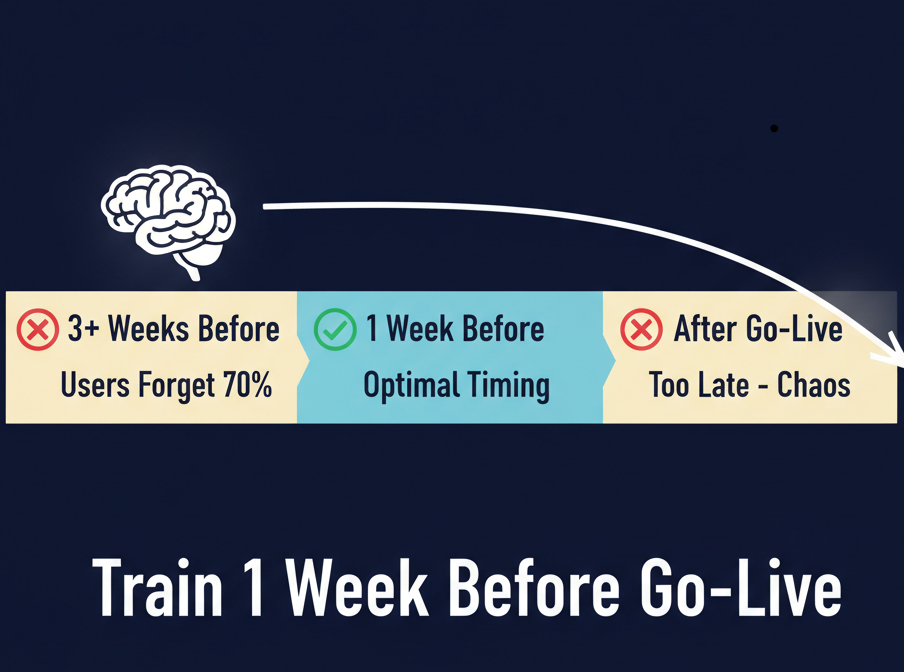
- Optimal timing: Train users 1 week before go-live.
- If training is too early: Users forget 70% of details if trained 3+ weeks before launch.
- If training is too late: Post-go-live training leads to chaos and lost productivity.
- Best practice: Deliver focused, role-based sessions and provide quick-reference guides.
Go-Live Weekend: Hour-by-Hour
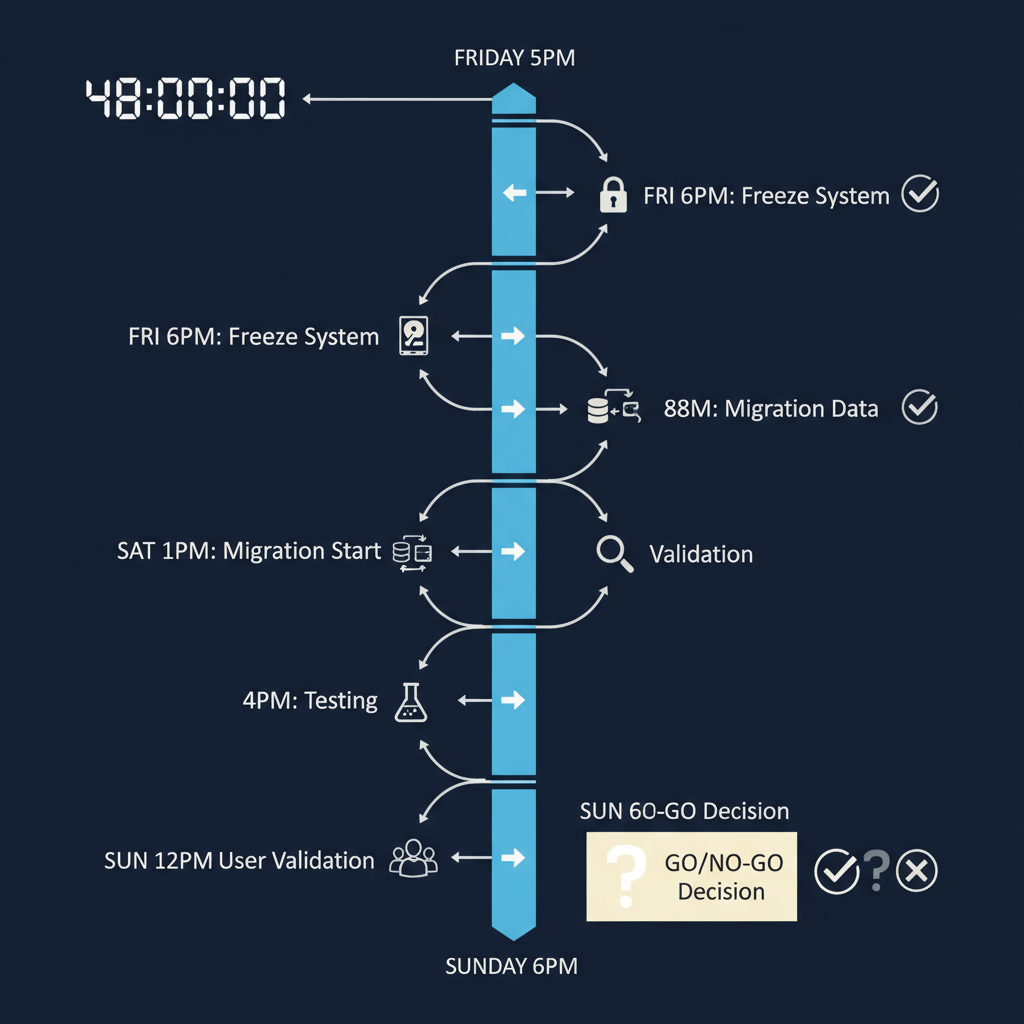
- Friday 5pm: Final pre-cutover checks.
- Friday 6pm: Freeze legacy systems. Start data migration.
- Saturday: Continue migration, validate data, resolve discrepancies.
- Saturday 4pm: Begin system testing.
- Sunday 12pm: User validation and smoke testing.
- Sunday 6pm: Go/No-Go decision based on checklist results and issue log.
- If Go: Switch all users to ERP, monitor in real time.

Hypercare & First Week Metrics
- 24/7 support: IT and business leads available for rapid response.
- Daily standups: Short meetings to surface and prioritize issues.
- Incident tracking: Log all problems in JIRA/ServiceNow, including root cause and resolution time.
- User feedback: Collect and review feedback from every department.
- Quick fixes: Prioritize and implement changes that unblock users and stabilize daily operations.
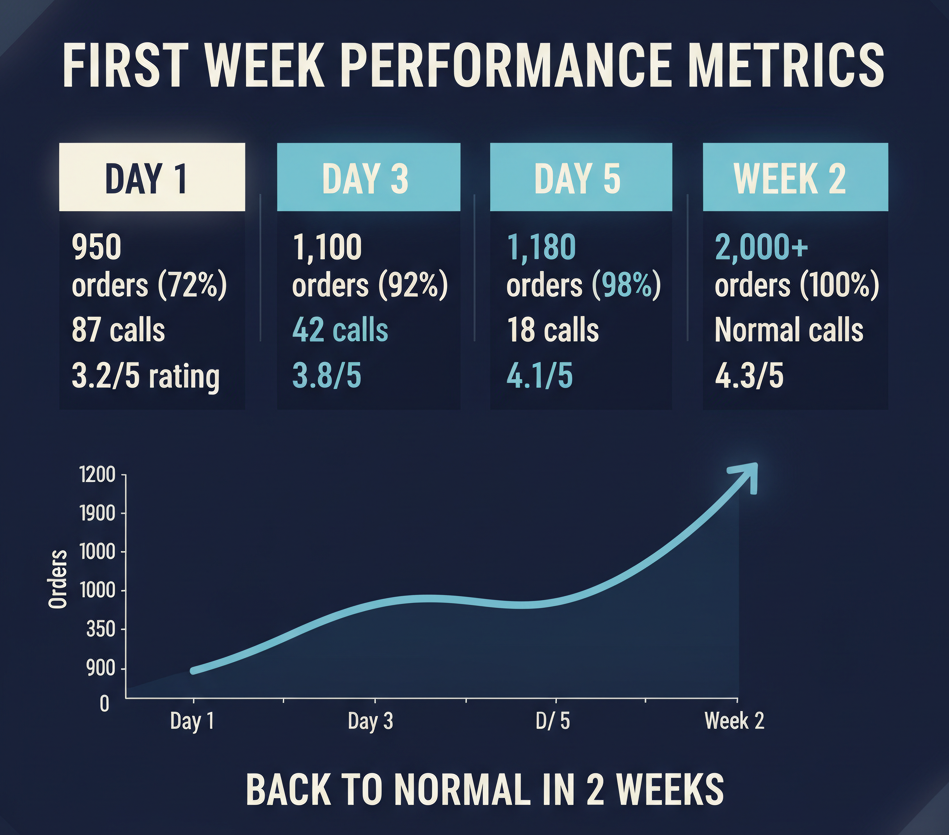
- Monitor KPIs: Track order processing time, error rates, system uptime, user adoption. Compare to pre-ERP baselines.
First week determines long-term success. Most critical issues surface in the first 7 days.

Performance Optimization & ROI
- Process review: Identify bottlenecks and inefficiencies in real workflows. Adjust configurations and permissions as needed.
- Continuous training: Schedule refresher sessions and onboarding for new users.
- System updates: Plan for patches, upgrades, and new feature rollouts with proper testing.
- Vendor check-ins: Schedule regular reviews with your ERP partner for best practices and roadmap updates.
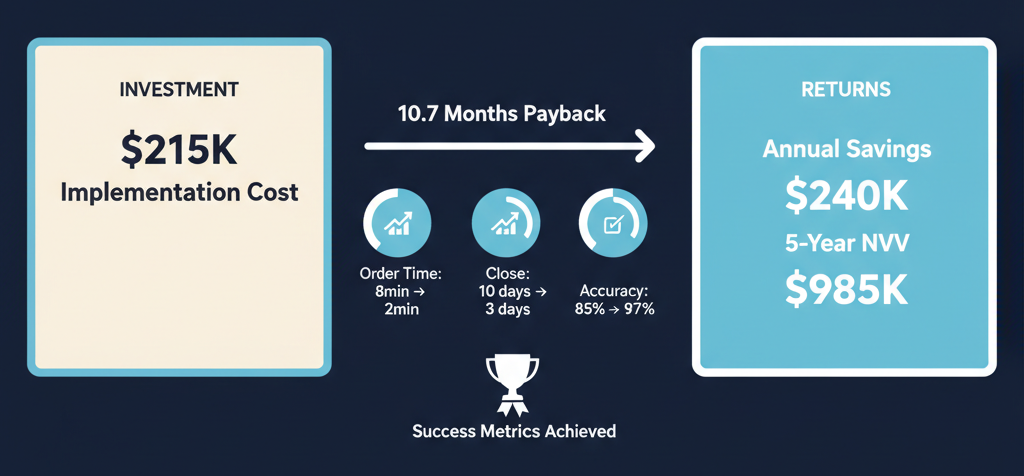
- ROI tracking: Measure cost per order, error rates, and time to close books. Document payback period and efficiency gains.

Lessons Learned
- Post-mortem: Conduct a formal review 30–60 days after go-live. Document what worked, what failed, and recommendations for future projects.
- Knowledge base: Update SOPs and internal documentation with lessons learned, fixes, and new best practices.
- Change management: Communicate improvements and celebrate milestones to build user confidence.
Bottom Line
A disciplined go-live and optimization phase is the difference between ERP success and costly disappointment. Real-time metrics, rapid escalation, and continuous improvement are non-negotiable.
Need expert support or a second opinion on your ERP project? Learn more about business process outsourcing for ERP and back-office operations.