


NetSuite drop ship portal is the fastest way to stop chasing suppliers for tracking numbers, RMAs, and shipment status updates. The cost is not the freight. It is the daily manual work: emails, spreadsheets, copy-paste into NetSuite, and follow-ups when a vendor goes silent.
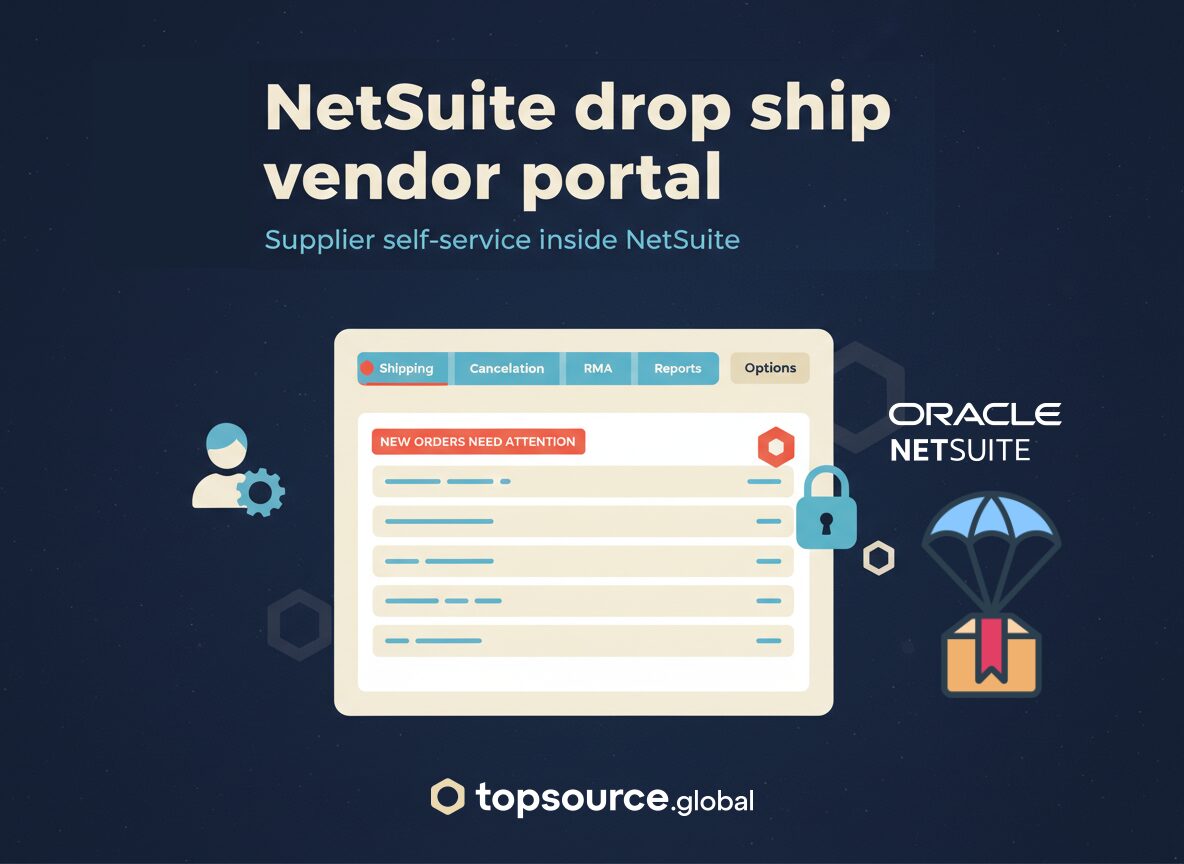
This case study shows how we built a supplier-facing portal inside NetSuite (Suitelet) so vendors can update shipment data, manage returns, and fulfill orders directly – while you keep role-based access, validation rules, and a full audit trail.
Use case reference: Drop Ship Vendor Portal | Custom NetSuite Supplier Access
When drop ship breaks: the operator symptoms
Most teams start with “just email us the tracking number.” It works until volume grows or the vendor mix changes. Typical symptoms:
- Manual entry load: tracking numbers and carrier services are copied from email into NetSuite, often by junior staff.
- Late updates: vendors ship, but tracking arrives hours or days later. Customers ask where the order is and support has no answer.
- Return and cancellation chaos: RMAs are handled via email threads. Status is inconsistent across NetSuite, vendor inboxes, and customer support tools.
- No accountability: you cannot prove when a vendor updated a shipment, what they changed, and who approved it.
NetSuite has strong vendor management capabilities, but most drop ship teams need a controlled way for suppliers to write shipment and return data, not just view transactions.
NetSuite drop ship portal: what vendors can update
We implemented the NetSuite drop ship portal as a secure Suitelet experience with vendor authentication and scoped access. Vendors log in and work from a single screen: pending orders, shipment actions, cancellation and RMA flows, and reporting.
Core portal actions
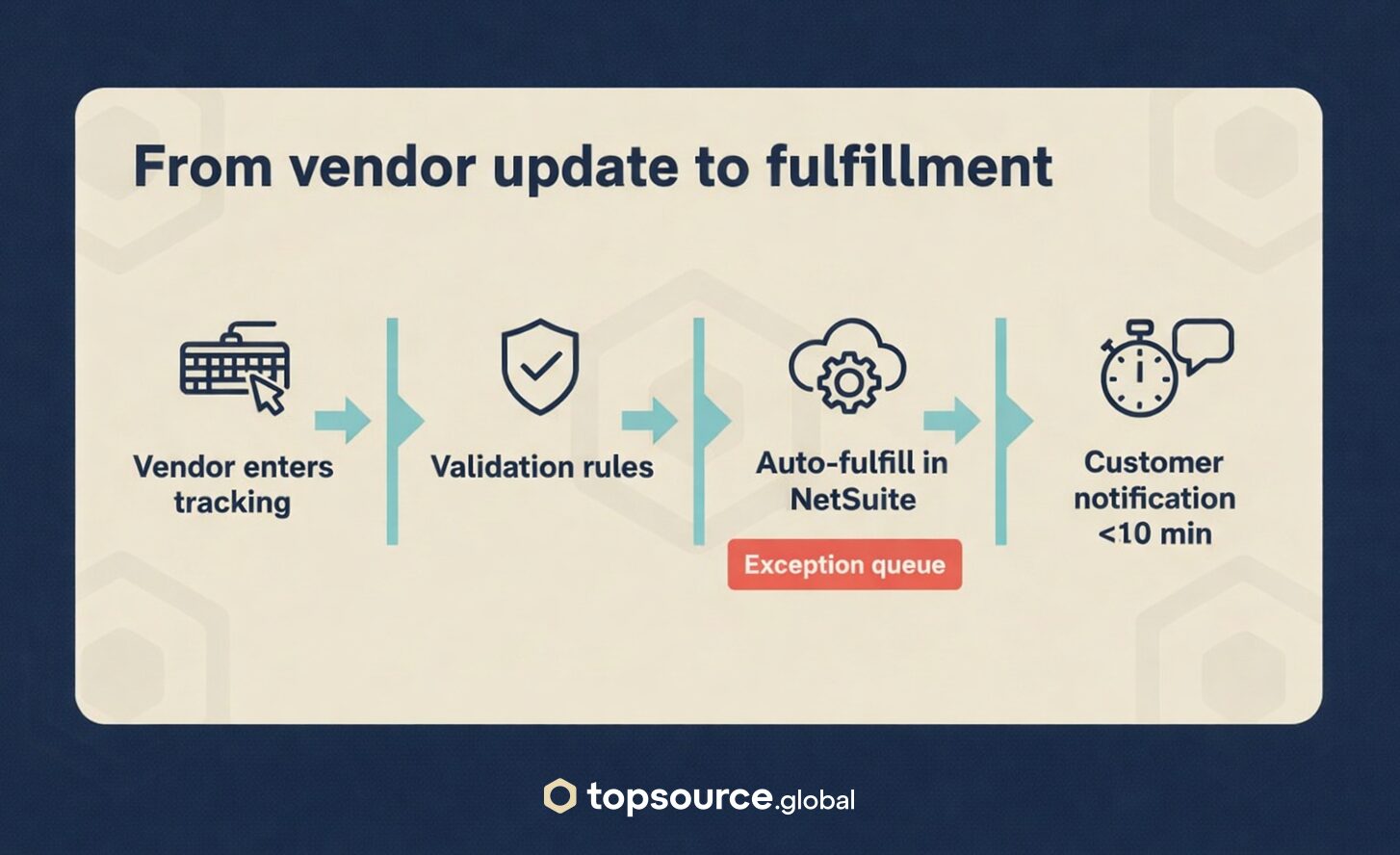
- Update shipment tracking (carrier, service, tracking number, ship date).
- Trigger fulfillment once required fields are valid.
- Manage returns and update return status against the correct PO or SO context.
- View shipment history and open queues to reduce “what’s pending?” emails.
Controls we keep on the NetSuite side
- Authentication: token-based access or role-based vendor access, depending on the vendor model.
- Field validation: required fields, carrier and service mapping, tracking format checks, and duplicate prevention.
- Permission scoping: vendors only see their own orders and only the fields they are allowed to update.
- Audit trail: every action is logged – who changed what, when, and from which portal action.
NetSuite drop ship portal: automation and audit trail
The portal is not a form. The value comes from what happens after submission.
- Auto-fulfill orders when shipment data passes validation rules.
- Real-time customer notifications when status changes (ship confirmation, tracking, return updates).
- Exception routing for incomplete data (missing tracking, invalid carrier, partial shipment) so your team only touches edge cases.
NetSuite supports drop ship and vendor return flows, but the operational challenge is getting consistent vendor updates at speed. Oracle’s documentation on vendor returns for drop-ship orders is a useful reference point: Vendor Returns for Drop-Ship Orders.
For a broader overview of vendor management capabilities in NetSuite, see: NetSuite Vendor Management.
NetSuite drop ship portal KPIs after go-live
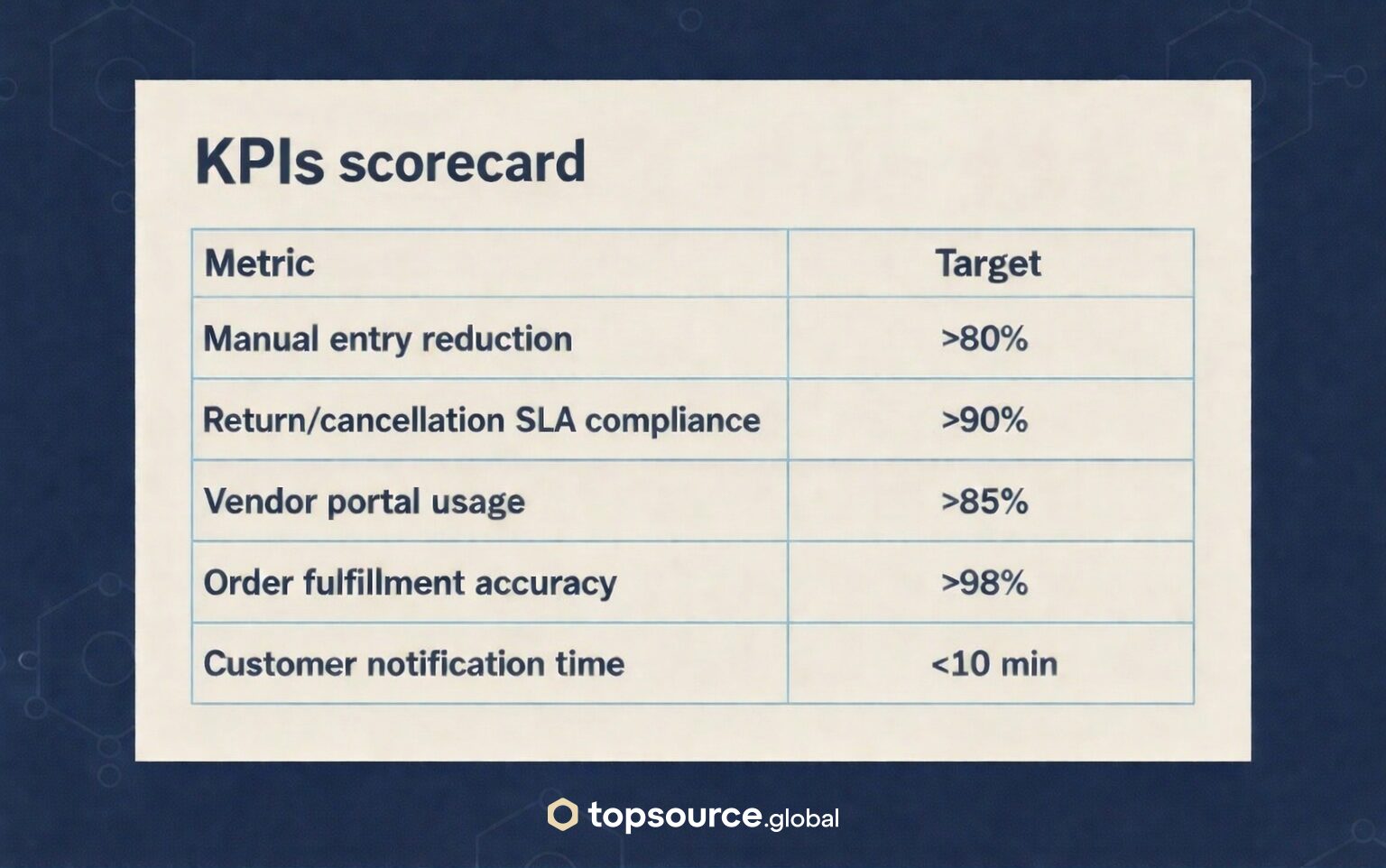
A portal project is only useful if it moves measurable workload and cycle time. A scorecard for a NetSuite drop ship portal typically includes:
- Manual entry reduction: target >80%
- Return/cancellation SLA compliance: target >90%
- Vendor portal usage: target >85% of vendor updates done in portal
- Order fulfillment accuracy: target >98%
- Customer notification time: target <10 minutes
Those targets are realistic when you enforce portal usage and keep a clean exception process. If email exceptions become the default path, adoption stalls and manual work creeps back.
Implementation notes that matter in real life
Most portals fail for boring reasons. These are the items we lock down early:
- Vendor onboarding: access setup, training, and a policy that the portal is the system of record for drop ship updates.
- Carrier/service normalization: vendors will type “FedEx Ground” in many variants. Map it once and validate it.
- Edge cases: partial shipments, split orders, address corrections, and cancelled lines need explicit flows.
- Support model: define who handles vendor questions and how exceptions are escalated.
If your drop ship volume is high, this governance is what prevents WISMO tickets and prevents paying internal headcount to copy-paste data.
NetSuite drop ship portal delivery by TopSource Global
We build Suitelet portals that give suppliers self-service access while keeping your controls: validation rules, scoped permissions, automation, and audit logs. If you want to reduce manual vendor follow-ups and tighten accountability, start with the full use case and UI reference: Drop Ship Vendor Portal | Custom NetSuite Supplier Access.
If you want a quick sanity check, share your drop ship volume, vendor count, and top 3 failure modes (late tracking, RMAs, cancellations). We will map the minimum viable NetSuite drop ship portal and the KPI scorecard before you write code.