


Loop Returns NetSuite integration fails in one predictable place: the integration ships events, but nobody owns the operating model.
You end up with return statuses that do not match, refunds that bypass controls, and an exception backlog living in Slack. Finance loses trust in the numbers. CX gets WISMO-style tickets, just for returns.
This article is a practical blueprint: what should be the system of record, what to validate, where to gate refunds, and what KPIs to review weekly.
Why teams implement Loop, then still drown in exceptions
Loop solves the customer-facing part: self-serve returns, exchange flows, labels, and notifications. NetSuite is still the financial and inventory truth.
The gap is the middle layer:
- Item and order matching (SKU, location, lot/serial)
- Disposition logic (restock, refurb, scrap, return-to-vendor)
- Refund governance (timing, method, approvals, fraud flags)
- GL impact and reconciliation
If you do not design that layer, your Loop Returns NetSuite integration becomes a ticket generator.
Decide the system of record (and document it)
Write this down before you build anything.
A common split that works:
- Loop: customer intent, label creation, return request metadata, exchange choice
- NetSuite: RMA record, item receipt/inspection, inventory status, refund authorization, GL posting
Your Loop Returns NetSuite integration should not create “shadow truth” in both systems. Pick one owner per data element.
Minimum master data alignment checklist
- SKU mapping rules (variants, bundles, kits)
- Locations and return nodes (warehouse, 3PL, store)
- Reason codes and disposition codes
- Tax and shipping refund rules
- Payment method mapping (original tender vs store credit)
If any of these are inconsistent, your exception queue becomes your primary workflow.
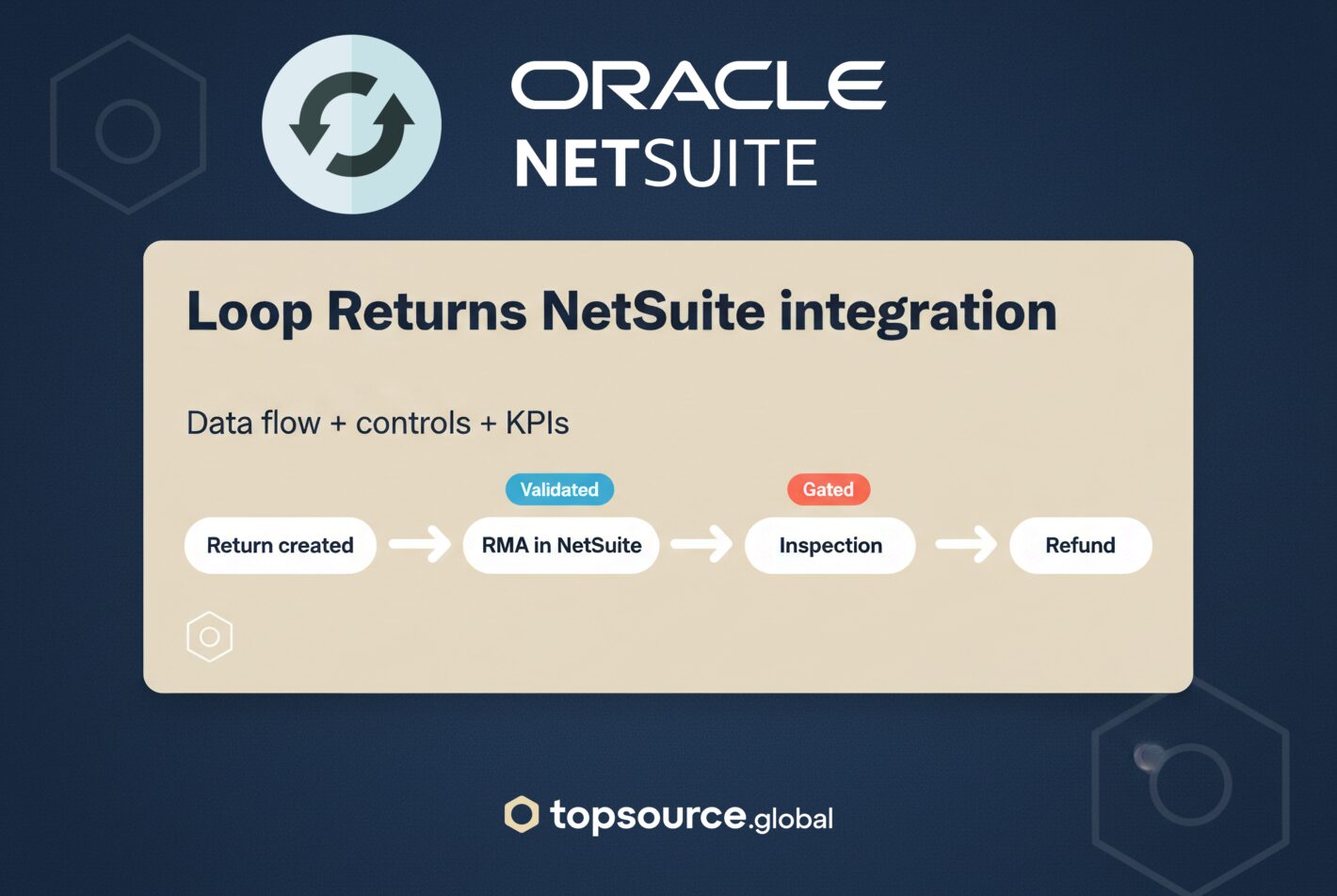
Data flow blueprint (what should happen, in what order)
This is the sequence that typically keeps finance and ops aligned:
- Return initiated in Loop (customer selects items, reason, exchange/refund)
- Validation step (order exists, item exists, within policy window, not already returned)
- Create or update RMA in NetSuite (one RMA per order or per shipment – choose and standardize)
- Label and tracking stored on the return record (Loop owns label, NetSuite stores tracking reference)
- Receipt and inspection in NetSuite (or WMS/3PL system feeding NetSuite)
- Disposition decision applied (restock/refurb/scrap/RTV)
- Refund authorization triggered only after gates pass
- Refund execution (payment processor) and GL posting in NetSuite
- Status sync back to Loop for customer notifications
If you want the vendor’s product overview for Loop, start here: https://loopreturns.com/.
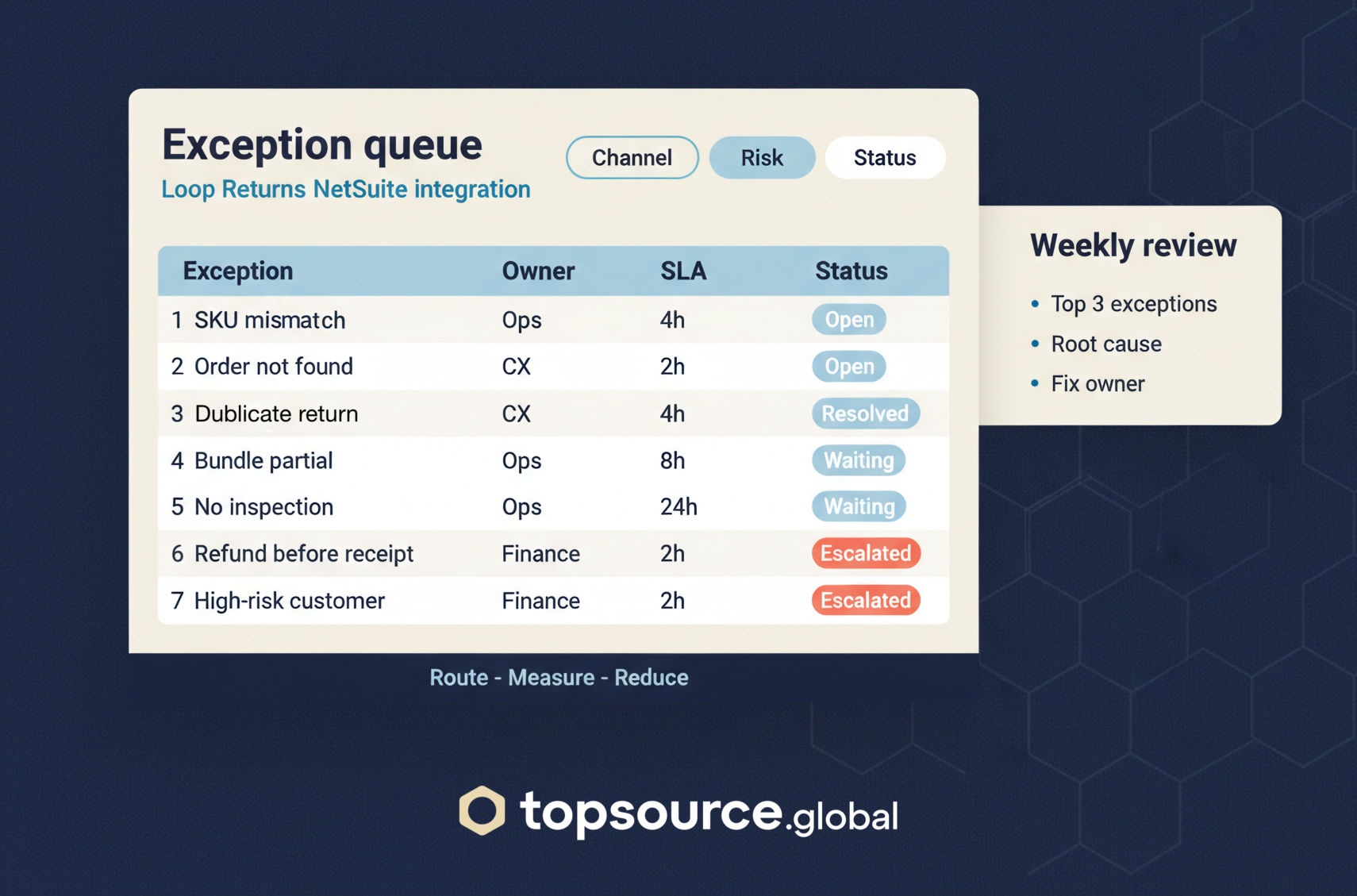
Build an exception queue on purpose
Treat exceptions as a first-class object. Route them, measure them, and reduce them.
High-frequency exceptions to design for
- SKU mismatch (Loop item does not match NetSuite item)
- Order not found (guest checkout, channel mismatch, split shipments)
- Duplicate return request
- Partial return with bundle or kit components
- Return received but not inspected (stuck at 3PL)
- Refund requested before receipt
- High-risk customer pattern (repeat returns, high value, address mismatch)
Routing rules that work
- Ops owns matching and receipt/inspection gaps
- Finance owns refund approvals and GL exceptions
- CX owns customer communication when status is blocked
If you do not route, everyone touches everything. That is how manual work scales.
Refund governance: where to gate, where to automate
Refund speed matters, but uncontrolled refunds become chargebacks and write-offs.
Suggested gates:
- Refund only after receipt plus inspection status is posted
- Auto-approve below a threshold (by order value, customer risk, item category)
- Manual approval for high-risk rules (high value, repeat returns, damaged claims)
- Separate flows for store credit vs original tender
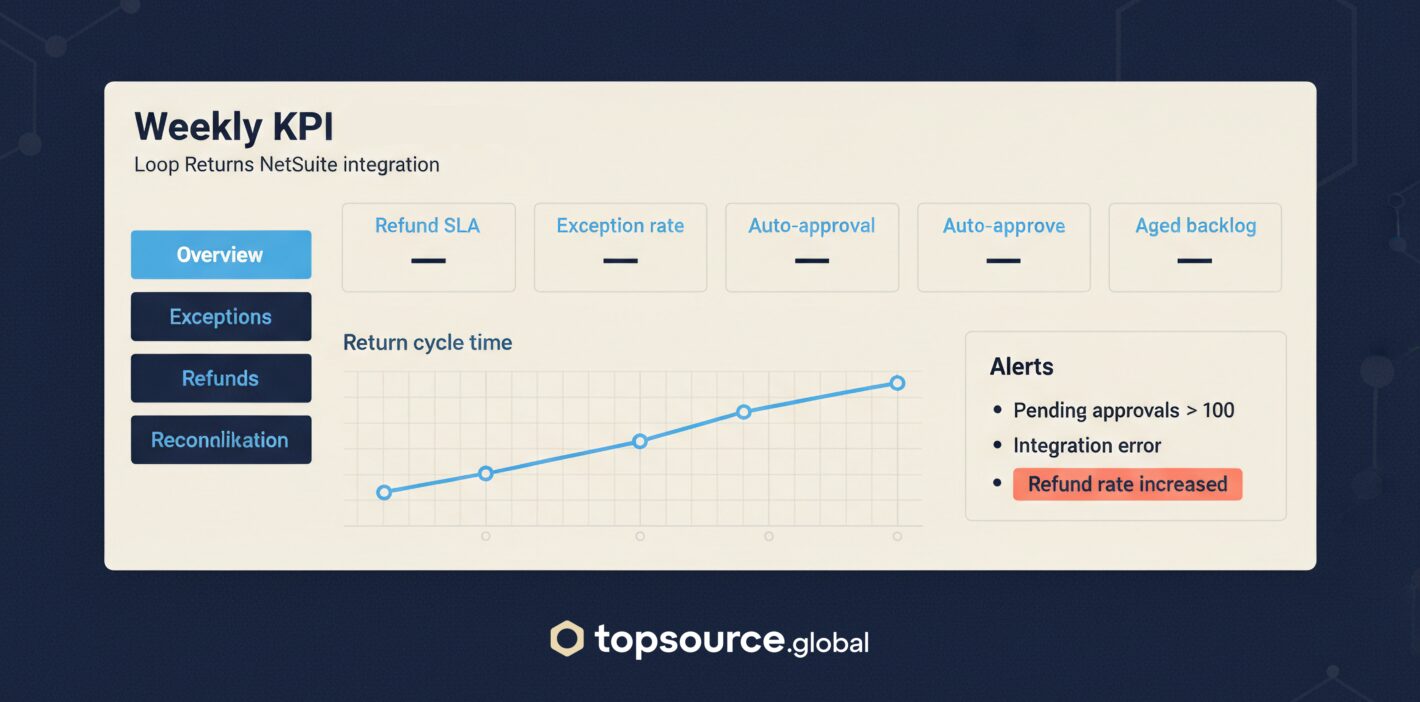
KPI scorecard (weekly) for Loop Returns NetSuite integration
If you do not measure this weekly, you will not know whether the integration is helping.
- Return cycle time (initiation to final disposition)
- Refund SLA (receipt to refund executed)
- Exception rate (percent of returns that hit the exception queue)
- Auto-approval rate (percent of refunds executed without manual approval)
- Inventory restock accuracy (receipt vs restock vs scrap)
- Reconciliation delta (Loop vs NetSuite counts and amounts)
- Aged returns backlog (returns stuck more than X days)
Set targets per category. A single global target hides the real problem.
Implementation notes that prevent rework
- Standardize RMA granularity (per order vs per shipment) before go-live
- Keep reason codes stable. Do not let every channel invent their own taxonomy
- Log every status change with timestamp and actor (audit trail)
- Build a rollback plan for the first two weeks
What to do next
If you are planning a Loop Returns NetSuite integration, start with a one-page operating model:
- System of record table
- Data flow sequence
- Exception queue list plus routing
- Refund gates
- Weekly KPI scorecard
If you want help operationalizing this, see our service page: returns management outsourcing.